Tracks on its own
Time counts while you type, read, debug or run commands. Pauses past the idle threshold are left out, and several windows never count the same minute twice.
Time tracker for VS Code, VSCodium and Cursor
NiceTiming counts your time in each project, file, language and branch while you work, and shows the time agents such as Claude Code or Codex spend editing your files apart from yours. No timer to start, no account to create. Your data stays on your computer.
The extension is free. VS Code 1.90 or later, and VSCodium, Cursor or Windsurf through Open VSX. NiceTiming Pro adds more tools, with a 14-day trial without a card.

Everything happens inside the editor. The web dashboard is optional.
Time counts while you type, read, debug or run commands. Pauses past the idle threshold are left out, and several windows never count the same minute twice.
When files change while you are not editing them, the time goes to the agent: Claude Code, Codex, Aider, Gemini CLI, Copilot CLI and others.
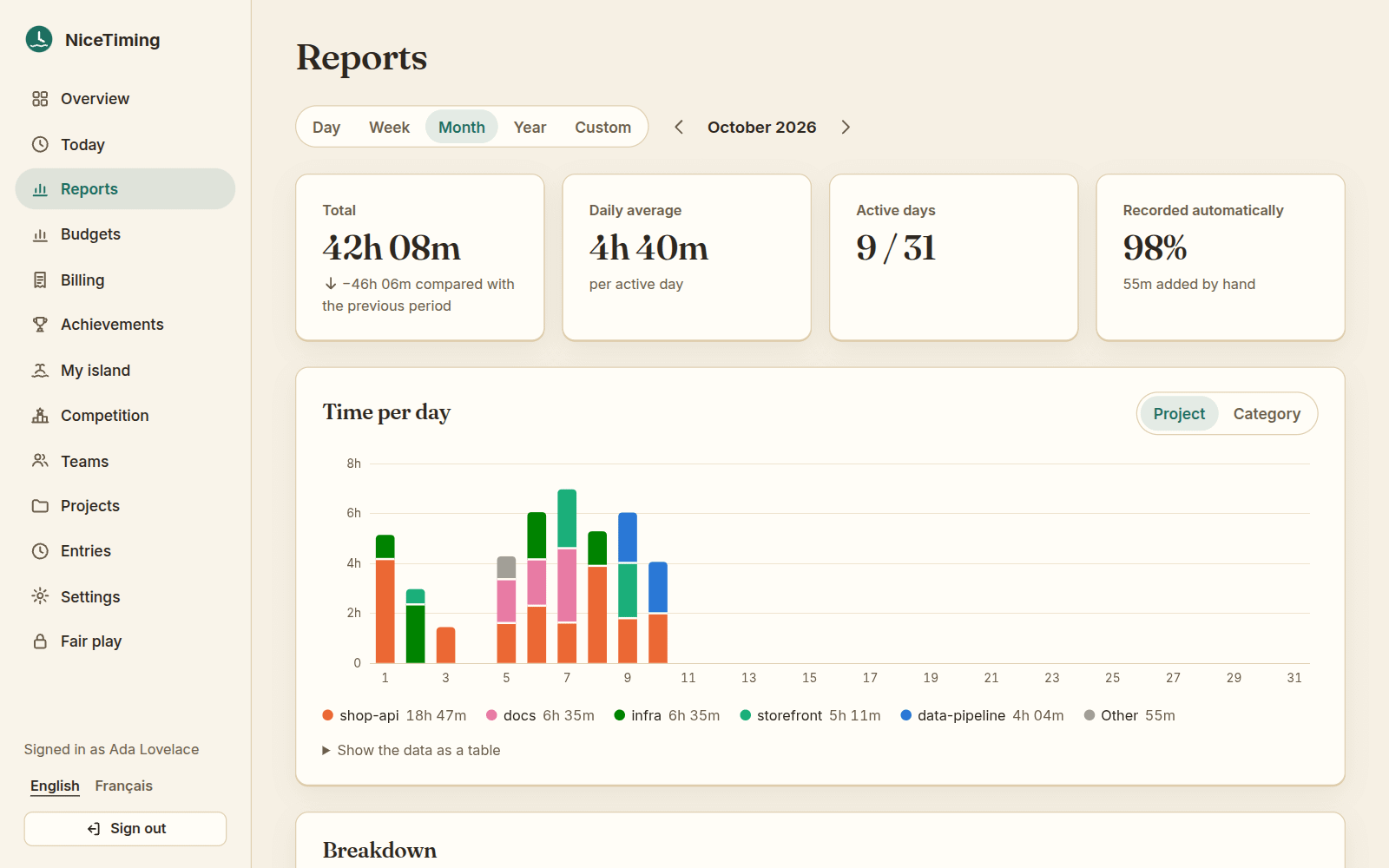
Any period, by project, language or branch, an editable timeline, and exports to CSV, Markdown, iCalendar and JSON.
Hourly rates, clients and budgets for free. PDF invoices, quotes and Factur-X files with NiceTiming Pro.
Sync through NiceTiming Cloud and see your time in a web dashboard, with a Today page for your phone. Pro syncs every computer you use.
Bring your history from Toggl Track and Clockify CSV files, or from NiceTiming 1.x.
See how long Claude Code or Codex worked in each project, beside your own time. Turn on token usage and the AI tab shows tokens and their cost at public API prices, by agent, model and project. Only numbers are kept, never the text of your conversations.

Each project with an hour of work gets a building, and the island grows through thirty stages into an archipelago of six islands. It is optional and fully free: a day off costs nothing, and nothing sold gives an advantage.

A sandbank · from 0 h

A hill rises · from 12 h

A mountain · from 33 h

A second islet · from 63 h
Plain text files on your machine, no account and no telemetry. The extension works without a network connection.
Activity records hold timestamps, projects, file paths, languages, branches and line counts. The code you write is never recorded.
Nothing leaves your computer unless you turn on sync, or an option that uses an online language model.
This site has no analytics, no ads and no third-party scripts. On NiceTiming Cloud, you can download or delete everything from Settings.
€0
Tracking, reports, rates, budgets, every export, the imports, the AI features with your own provider, and the whole island.
Working time, requests to AI agents, prompts, PDF invoices, Excel exports, the API, and NiceTiming Cloud without limits.
Try it for 14 days, without a card.
The extension is free, and what it does stays free: automatic tracking, reports, the timeline, rates, clients, budgets, timesheets, every export (CSV, Markdown, iCalendar, JSON), the Toggl Track and Clockify imports, the AI features with your own provider and the whole island game. NiceTiming Pro, sold by NiceTiming Cloud, adds tools for working time, requests to AI agents, prompts and invoicing (PDF invoices, Excel exports, an API), and NiceTiming Cloud without limits. Try it for 14 days, without a card.
Yes, apart from your own time. When files change while you are not editing them, for example when an agent works from a terminal or on files you are not looking at, NiceTiming counts that time as an agent’s, with its name when it can tell (Claude Code, Codex, Aider, Gemini CLI, OpenCode, Copilot CLI, or the editor itself in Cursor or Windsurf). The setting clockingTimer.tracking.aiAgents turns it off. If you also turn on token usage, the AI tab shows the tokens Claude Code, Codex, Aider, Cline, Roo Code and Kilo Code used, by project, model and agent, with their cost at public API prices. Only numbers are kept, never the text of your conversations.
Visual Studio Code 1.90 or later, on Windows, macOS and Linux, from the Visual Studio Marketplace. VSCodium, Cursor, Windsurf and the other editors built on VS Code install it from Open VSX. It does not work in JetBrains IDEs, Vim, Neovim or other editors.
Short activity records: a timestamp, the project, the file’s path in the project, the language, the branch, the kind of activity and line counts. Never the contents of your files. They are plain text files in the folder VS Code gives the extension; there is no account and no telemetry. Nothing leaves your computer unless you turn on sync, ask an online language model for a text (your stand-up, for example), or turn on an option that uses one. You can also keep file extensions instead of file names.
NiceTiming needs no account and no server: it runs on your computer and keeps your data there. It counts your AI agents’ time apart from yours, and adds billing (rates, clients, budgets, timesheets) and a small game. It works only in VS Code and the editors built on it.
Yes. NiceTiming imports CSV exports of Toggl Track and Clockify for free, as well as its own backups and the data of NiceTiming 1.x. With NiceTiming Pro, two-way integrations also send your time to Toggl Track, Clockify, Harvest or Jira worklogs, and bring theirs back, after a preview.
Yes. Set hourly rates per project, clients and budgets (with a warning at 80 % and 100 %), mark billable time, then export a timesheet or billable amounts as CSV, for free. NiceTiming Pro makes PDF invoices from tracked time, with VAT, discounts, quotes and Factur-X files; the invoices you made stay yours if Pro ends.
A voxel island grows with the hours you track: every project with at least an hour of work gets a building, and the island has a town, fishing, creatures and much more. It follows your work: a day off costs nothing, and you never need to open it to track your time. The whole game is free; nothing sold gives an advantage, and cosmetic packs only change how it looks.
Install the extension, keep coding, and open the dashboard when you want to look back.